It has been awhile since I've posted to this blog. I have a new website where I have been posting my artwork since I've started doing a lot more freelance work. It is located here:
http://visualaperture.com
You can contact me through that site listed in the "Contact" page.
I will not be posting on this blog anymore.
-T.J. Grant

Saturday, January 21, 2012

Tuesday, February 1, 2011
Paul - Marks of Christ

A painting I did of Paul based on Galatians 6:17 "From now on let no one cause me trouble, for I bear on my body the marks of Jesus."
Saturday, December 18, 2010
My Son - Aedan

I painted this for my wife for her birthday. This is a painting of my son.
This is also a little self promotion here as I am now accepting work to paint people's portraits. Basically its a digital painting that I can get printed out on on a canvas up to 16x20. Plus if you desire just the digital copy to print out on your own photo paper at home or even a photo center that can be arranged as well. So if you want a hand painted version of your favorite person/people in life, contact me via email listed on the top of my blog.
Friday, July 23, 2010
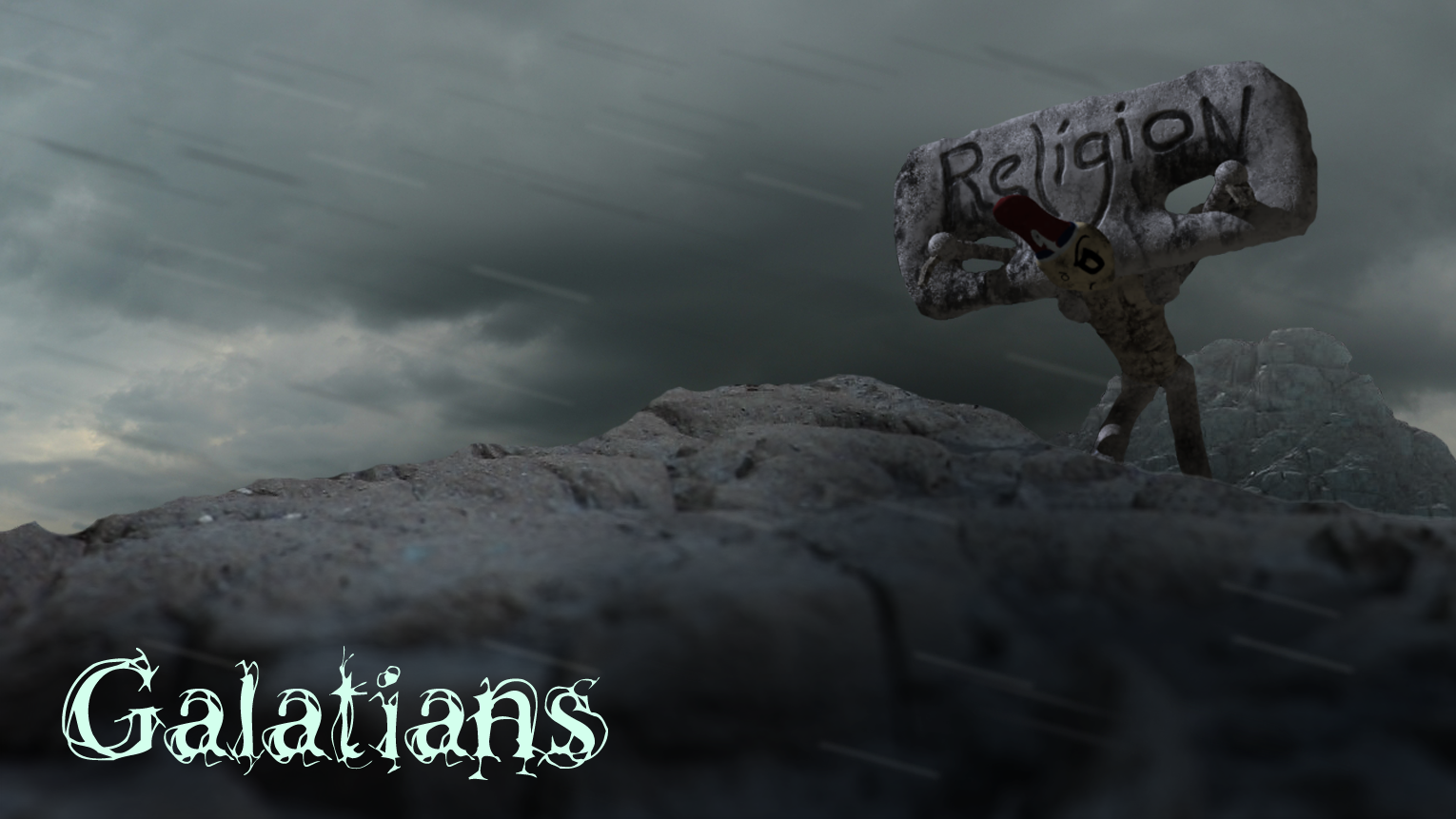
Galatians Intro
I decided to post something a little different. Its actually not a painting this time but an animation I did for Crossing Church for their new sermon series starting this week on Galatians. Just click the link below to see it!
http://www.vimeo.com/13564155

http://www.vimeo.com/13564155
Tuesday, July 20, 2010
Mural Painting!!!


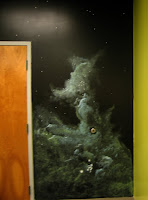
Ahh, the fresh smell of paint and the mess of it all!!! It has been awhile since I have ventured from the digital realm of painting. I had forgotten how much fun and challenging painting with traditional media can be. This is a mural that I painted for Crossing Church, were my wife and I are members of here in Louisville KY. This was by far the biggest mural I've had to paint yet. The dimensions of the wall were 10'x25'. I had a blast though getting my hands messy again, mixing colors and having the feel of the brush gliding across the wall.
Though I do a whole lot of digital artwork, there really is something special about being able to physically touch and see the texture of paint and traditional media in general. That, I will say, is the downfall of digital work. Sure you can print out stuff on a canvas, but you don't get the thickness, the texture, or even the smell like you would with a real painting.
But I still enjoy creating both traditional and digital artwork and was very thankful for the opportunity to flex that traditional muscle again!
Wednesday, June 2, 2010
Jason Coobs Photo Painting and Tutorial

I took a few days from doing daily paintings and worked on this painting. This is from a photo that my good friend Jason Coobs took. He is an awesome wedding photographer and he graciously let me paint this photo. You can visit his site here: www.jasoncoobs.com/blog
Here is the reference photo:

I also spent some time making a tutorial of this painting. I've been asked several times how do I do these paintings on the computer so I decided to put together a little tutorial showing the technique and steps that it takes to get one of these done.
For reference I use a Wacom Intuos Tablet for painting. The programs I use are Photoshop and Painter. Photoshop has a wonder brush engine, and can be used for more than photo editing/manipulation.

Step 1: In the beginning I keep everything very loose, making very broad strokes to get the overall feel and composition of the painting. The time I take here to get everything laid out will save me from having to repaint any major errors later.


If you have any questions feel free to email me. My email is located in my profile or in the watermark of my paintings.
Tuesday, May 25, 2010

Monday, May 24, 2010

Friday, May 21, 2010
Daily Sketch - Friday 5.21.2010

Today's latest sketch. I decided to keep the strokes loose in order to keep things quick and easy.
Thursday, May 20, 2010
Sketches


Tuesday, March 30, 2010
Clarity - Storyboard Concepts


 These 3 images are a few of some storyboards ideas I've put together for a new sermon series intro for the local church I attend. The idea of the intro is that it will be shot using live action footage and these images represent, loosely, the location in an area of town I'll be doing this. The monotone palette represented here will be what the final product will look like. I won't go into detail all about the intro, but wanted to start posting my works in progress. In case you are wondering, these are not photos that I've taken but "painted" so to speak using various brushes in Photoshop to quickly get them onto paper. The next step is to put together an animated playblast using these drawings going through the scene to check for style, motion, timing and overall if this will either be cool or lame. Total intro length will be 30 seconds.
Thursday, September 24, 2009
Ruins

I can't believe it has literally been over 6 months since the last posting. Time just gets away when dealing with day to day life. Even though my life has been busy, doing some artwork at least allows me some escape. This is a new mattepainting I was able to do during that time. Enjoy!
Saturday, March 14, 2009
The Series


(Click on any image for a larger view)
I finally finished this series of paintings on Christ. Its taken me over a year to complete. Admittedly I do have one more in mind, which I may come back to later, but for now this is finished. Time to tackle the next project...
Sunday, January 11, 2009
Jerusalem
 This is a painting of Jerusalem from Mt. Olivet. I wanted to capture what the disciples were looking at when Christ ascended to heaven. I'm sure they were looking at the gate leading to the temple and wondering if He was going to establish His kingdom then. Obviously reading the first chapter in Acts, Christ doesn't establish His Kingdom just yet...but He will when He returns!
I wanted to keep the brush strokes loose on this one. I did study some references of Jerusalem, according to the historical layout. I also used some artistic license as well. It may not be the most exact representation of Jerusalem, but I like the feel of the painting at least. I may end up turning this into a full fledged matte painting so I can use it in a video idea I have. If I do, then I would really would have to model the whole city in 3D and make it true to the real historical layout at the time of Christ.
Monday, January 5, 2009
Contentment
 Well to start the new year off, I finished up another painting of Christ. This is the 3rd in a series I'm busy completing. This one depicts Him in a very content mood in the Garden of Gethsemane, obviously not on the night before His crucifixion. I have 2 more paintings left to do in this series. Lord willing they will be completed this year...
By the way, this picture may appear dark on some monitors. Such is the case when working digitally. Some monitors may not be calibrated, plus the issue going from a flat screen LCD monitor to a CRT. So if your monitor shows this picture as very dark with a ton of black, this was not my intent. There is actually quite of bit of value range in the picture. Also, I have two of my water marks in there. The originals, just like all my other paintings on here, do not have them. But this is what I have to do to protect my copyright. Eventually I'd like to get these in an art gallery somewhere when I finish the other two paintings.
Thursday, July 31, 2008
Pierced
 A continuation of a series of paintings of Christ that I'm working on. This one is titled "Pierced". I wanted to display that the thorns were not small, but certainly had the capability to causing even more pain, not mention the fact that the Romans used a cane to whip Him on the top of His head after placing the "crown" on. This of course would cause piercing and deep cuts on the face, wherever the flesh was soft.
Concepts

 These paintings were done for practice to experiment in lighting and environment. The first one I was inspired by the Grand Canyon and the more arid environment, while the last one was heavily influenced by Africa. No references were used.
Saturday, July 26, 2008
Portrait Studies

 Another set of studies that I painted. Both took about 30-40 minutes each. I used photos as reference for both.
Tuesday, July 22, 2008
Mercury

This was a little study I did of the statue of Mercury sculpted by Jean-Baptiste in 1744. I painted this in about 30 minutes. I used a photograph as a reference.
Freedom

Life is hard and never fair. We long for freedom, but this corruption always holds us back. There must be something outside who can free us...
Subscribe to:
Posts (Atom)